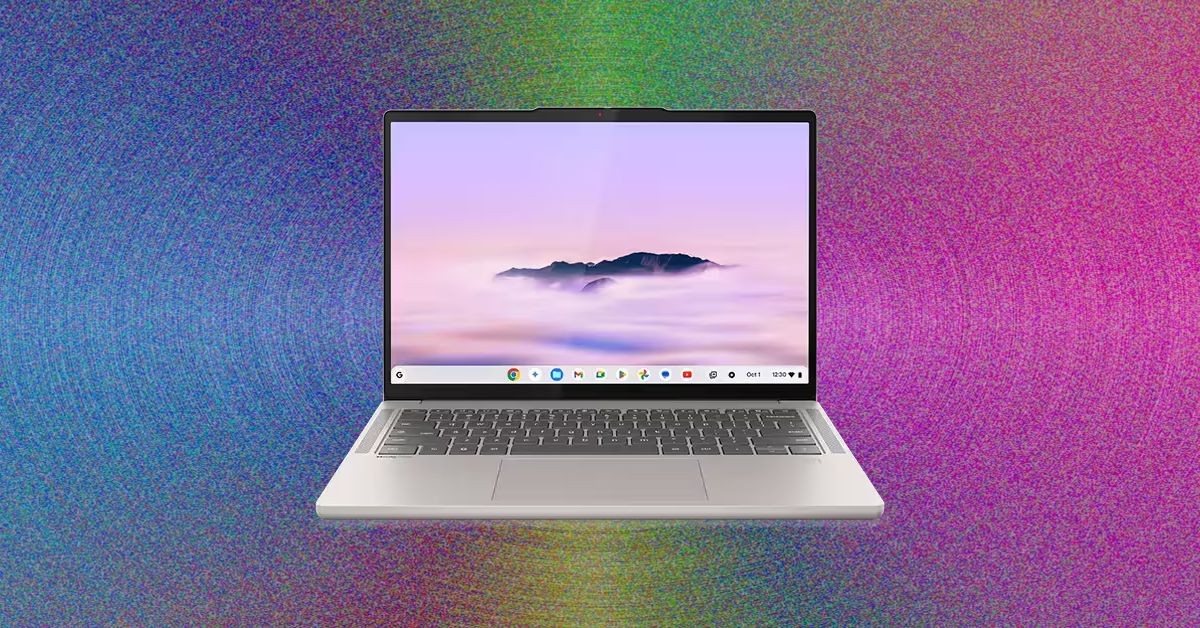
The laptop market is more crowded than ever, leaving many consumers wondering if there is still a legitimate place for the Chromebook. In 2026, the answer depends entirely on your budget and your expectations.
If you are looking for a reliable machine under $500, a Chromebook is often a smarter choice than an aging Windows laptop or a refurbished MacBook. However, once you move into higher price brackets, you enter a “gray zone” where you must decide if the simplicity of ChromeOS is worth the trade-off against the power and versatility of Windows or macOS.
The Premium Tier: High-Performance ChromeOS
For those willing to spend more, a new breed of “Chromebook Plus” devices has emerged, offering hardware that finally matches the premium feel of high-end ultrabooks.
The Gold Standard: Lenovo Chromebook Plus 14
The Lenovo Chromebook Plus 14 is currently the standout performer. It breaks the mold of the “disposable” Chromebook by offering an immaculate chassis, a high-quality keyboard, and a responsive touchpad.
* Why it wins: At a price point around $649, it offers 16 GB of RAM and 256 GB of storage, outclassing many premium Windows laptops (like the MacBook Neo) that often stick to much lower RAM configurations for similar prices.
* Performance: Powered by an ARM-based MediaTek processor, it delivers impressive battery life and solid performance, making it one of the most efficient machines in its class.
The Versatile Runner-Up: Acer Chromebook Plus Spin 514
If you prefer flexibility, the Acer Chromebook Plus Spin 514 is the top choice.
* Key Features: It features a 360-degree hinge and a touchscreen, allowing it to function as a “2-in-1” device (tent mode or tablet mode).
* Display: It boasts a vibrant, bright screen that many users find superior to the Lenovo model. While the hinge can feel slightly stiff, the inclusion of an extra USB-A port and a high-quality build make it a formidable competitor.
The Budget Tier: Best Value for Less
When you drop below the $500 mark, quality often takes a hit—specifically in screen brightness and color accuracy. However, certain models manage to avoid the worst pitfalls.
Best Mid-Range Value: Acer Chromebook Plus 516
Often found on sale for around $350, this model is a “steal” for students or casual users.
* The Good: It features a reliable Intel Core i3 processor and a surprisingly good touchpad, which is rare at this price point.
* The Bad: The screen is its Achilles’ heel. It can look desaturated with a slight green tint, and the resolution is somewhat low for its large 16-inch frame.
Best Ultra-Budget Options: Asus CX14 and CX15
For those on a strict budget (sometimes as low as $130), the Asus CX series provides a functional baseline.
* What to expect: These are not “Chromebook Plus” models, meaning they have lower specs. You should prioritize the 8 GB RAM version to ensure usability.
* Trade-offs: Expect mediocre webcams (720p), dim screens, and average touchpads. They are “get by” machines rather than “enjoyable” machines, but they are far better than the outdated models frequently found on discount sites like Amazon.
Understanding “Chromebook Plus”
If you see the Chromebook Plus label, it isn’t just marketing fluff—it is a guaranteed hardware baseline set by Google to ensure a premium experience. To earn this label, a laptop must have:
- Processor: Intel Core i3 (12th Gen+) or AMD Ryzen 3 (7000 series+)
- RAM: At least 8 GB
- Storage: At least 128 GB
- Webcam: 1080p with noise reduction
- Display: Full HD (1080p) IPS or better
This standard is particularly important for the modern era of remote work, ensuring that video calls are clear and that the device can handle the AI-driven features Google is increasingly integrating into ChromeOS.
Quick Buyer’s Guide: What to Look For
| Feature | Recommendation | Why? |
|---|---|---|
| Processor | Intel Core i3 / AMD Ryzen 3 | Avoid older Celeron chips; they will feel slow almost immediately. |
| RAM | 8 GB Minimum | 4 GB is insufficient for modern multitasking and heavy web browsing. |
| Storage | 128 GB to 256 GB | While much is in the cloud, you still need local space for apps and offline files. |
| Display | IPS LCD (1080p) | Avoid “TN” panels, which have poor viewing angles and washed-out colors. |
| Ports | USB-C with Charging | Essential for modern convenience and mobile power bank compatibility. |
Final Verdict: Avoid the “trap” of buying ancient, $100 refurbished models. Investing slightly more in a modern Chromebook Plus device will provide significantly better battery life, a more durable build, and a much smoother software experience.